Portfolio
Welcome to my portfolio! This page will show my qualifications and
demonstrations
in
Web Development, Graphic Design, & Photography.
Skills
Items in grey are weaker skills that I have not used in a while.
Programs
- Visual Studio CodeUsed in:
Affton High School
St. Louis Community College
Personal
The IDE
this
website was created in! My favorite IDE by far, I've used it since I started
programming
in
high school.
- Adobe PhotoshopUsed in:
Affton High School
St. Louis Community College
Personal
Photoshop
is
the
art and editing program I have used for the longest. I've
used it for personal works since around 2018, and had multiple classes covering
it.
- Adobe Substance 3D PainterUsed
in:
Personal
I've used Substance for personal projects
when needing to paint 3D models.
- Google SuiteUsed
in:
Affton
High
School
Personal
The Google Suite of Products (Docs, Slides, etc.) has been
the
suite I've used the most due to it being my school's choice.
- Microsoft SuiteUsed
in:
St.
Louis
Community College
Personal
While I do not have years of experience with
the
Microsoft Suite of Products, I have started learning how to use it, and I can use
everything
besides Excel with ease.
- PyCharmUsed
in:
St.
Louis
Community College
I
used this IDE when taking Python in Access Point, but I haven't really used it
since.
- IntelliJ IDEAUsed
in:
St.
Louis Community
College
I used this IDE when taking Java in Access Point, but I haven't
really
used
it since.
Languages / OSes
- HTML 5Used in:
Affton High School
St. Louis Community College
Personal
HTML 5 is
my
strongest language, and I have several years of experience with it.
- CSSUsed in:
Affton High School
St. Louis Community College
Personal
Paired with
HTML 5,
I also have a lot of experience using CSS for designing websites.
- JavaScriptUsed in:
St. Louis Community College
Personal
I've used JavaScript for
interactive
features like galleries, sliders, and form validation. I'm continuing to
build my skills here and am eager to grow further in a professional setting.
- PythonUsed in:
St. Louis Community College
This was part of my software engineering
courses
in
Access Point, but I haven't used it since then.
- JavaUsed in:
St. Louis Community College
This was part of my software engineering
courses
in
Access Point, but I haven't used it since then.
- Windows 10Used in:
Affton High School
St. Louis Community College
Personal
This is the
OS
I
have used for most of my life, and my all-time favorite one.
- Windows 11Used in:
Affton High School
St. Louis Community College
Personal
My current
choice
of OS. While similar to Windows 10, it's much more bloated and slower, which can be
an
inconvenience sometimes.
- Chrome OSUsed in:
Affton High School
Along with the Google Suite, I also used this for
around 7
years as the OS my school's computers ran on.
Honors & Awards
Dean's List
St. Louis Community College
This honor is accorded each fall and spring semester to full-time students
(those
enrolled in at least twelve credit hours) who earn a semester grade point average (GPA) of 3.5 or
higher.
Part-time students are named to the Dean’s List at each increment of twelve credit hours with a GPA of
at
least 3.5.
Outstanding Senior Computer Science Student
Affton School District
This was a singular senior award given out to the most hard-working, dedicated
computer science student of that year.
Web Design / Development
I am a Web Developer with a Certificate of Specialization from Saint Louis
Community College, and have been creating websites since high school! Being able to
design
and
create
websites is one of my favorite forms of art, and I enjoy it immensely.
This Website
The one you're reading this paragraph element on! This website took about a
month of work
to
create
entirely from scratch. It is easily my best project yet, and outlines my process for creating a site
perfectly.
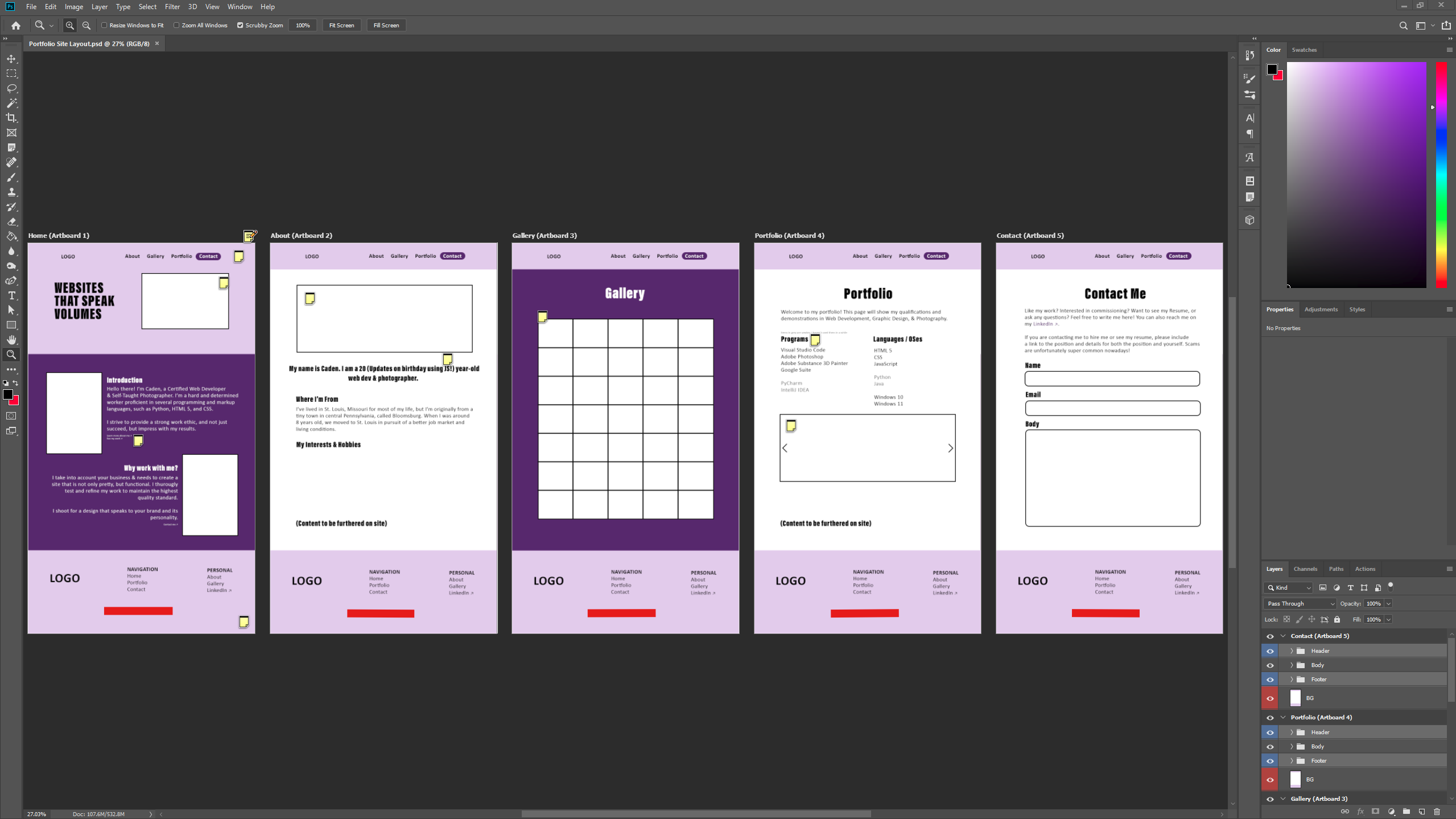
I started by designing the website using artboards in Adobe Photoshop.
Artboards
allow
you to
easily copy and paste items between each board, which is particularly useful for creating the header and
footer
of a page. I played with colors until I found something that looks unique and pleasant to the eyes, and
saved
those HEX codes (#e3ccee & #572171) to ensure the colors stayed exactly the same as the mockup. I also
created
sticky notes that can be read by opening up the .psd file, containing extra information.
The completed concept phase of this website created in Photoshop
Using the guidelines created from the mockup, I started with creating the
index
(home
page) in
order to design the header and footer, which provided me with a template to paste on every other page.
Then
it
was just about filling the other page bodies with content!
A majority of the HTML and CSS was written by myself with occasional instances
of
Stack
Overflow, W3Schools, & Claude for assistance. I built the JS features using tutorials and reference
material where needed - JavaScript is an area I'm actively growing in.
The JS used for this site features a handful of things:
-Lightboxes: Some images can be clicked on to expand them to full size for better
viewing.
-Index Slideshow: Allows the slideshow on the top right to fade between 3 different
images.
-About Age Update: Updates the age when my birthdate passes, so it is always
accurate.
-Scrolling Slideshow: The slideshow below that uses arrows to manually scroll between
images.
-Before/After: The image comparator below that allows you to see the before and after
by
moving
the slider.
-Contact Email Check: Ensures the user types in a correct email address by checking for
the
inclusion of @company and the domain.
Finally, it is important to include that this is an actively
maintained
website. Things are likely to improve in the future!
Mehlville Burger Bar (Mockup)
I've worked on quite a few projects over
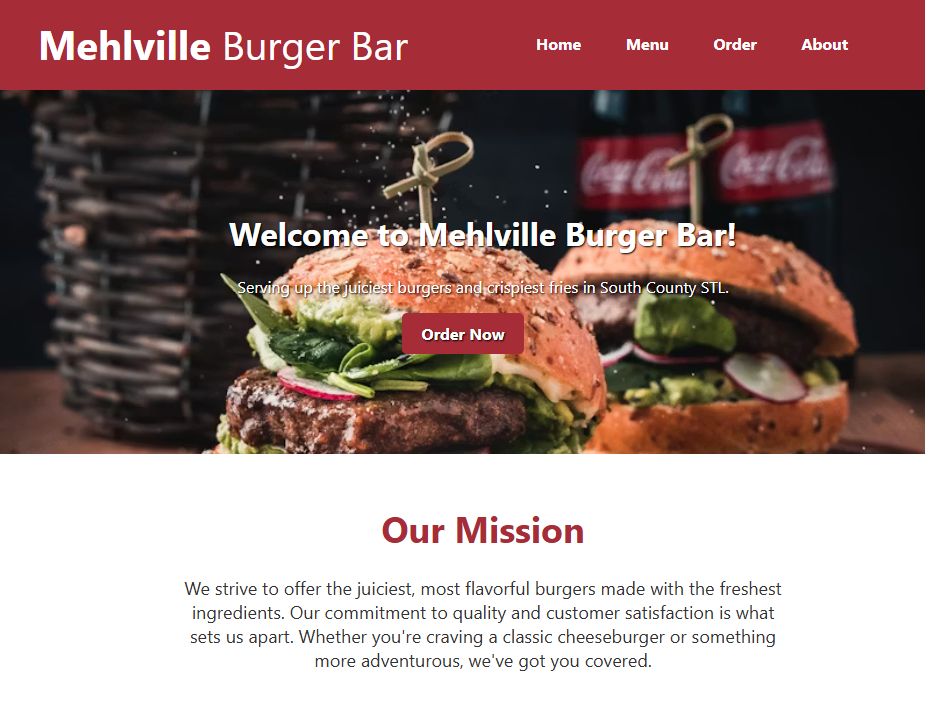
my time taking classes, and one of my more recent ones was the Mehlville Burger Bar Mockup
Site ↗ I created in college. This site is a mockup for a burger restaurant's website, and
features a completed home page, menu, and about page. It also has a singular JS script that displays the
text
"We're open!" or "We're closed, check back later!" depending on the hours. This site was conceptualized,
designed, and created in only two weeks.
The site is NOT mobile optimized. While it does have CSS
that
resizes certain elements for smaller screens, it was not fully designed for mobile compatibility. For
that
reason I'd recommend viewing it on PC.
The home page of Mehlville Burger Bar.
Graphic Design
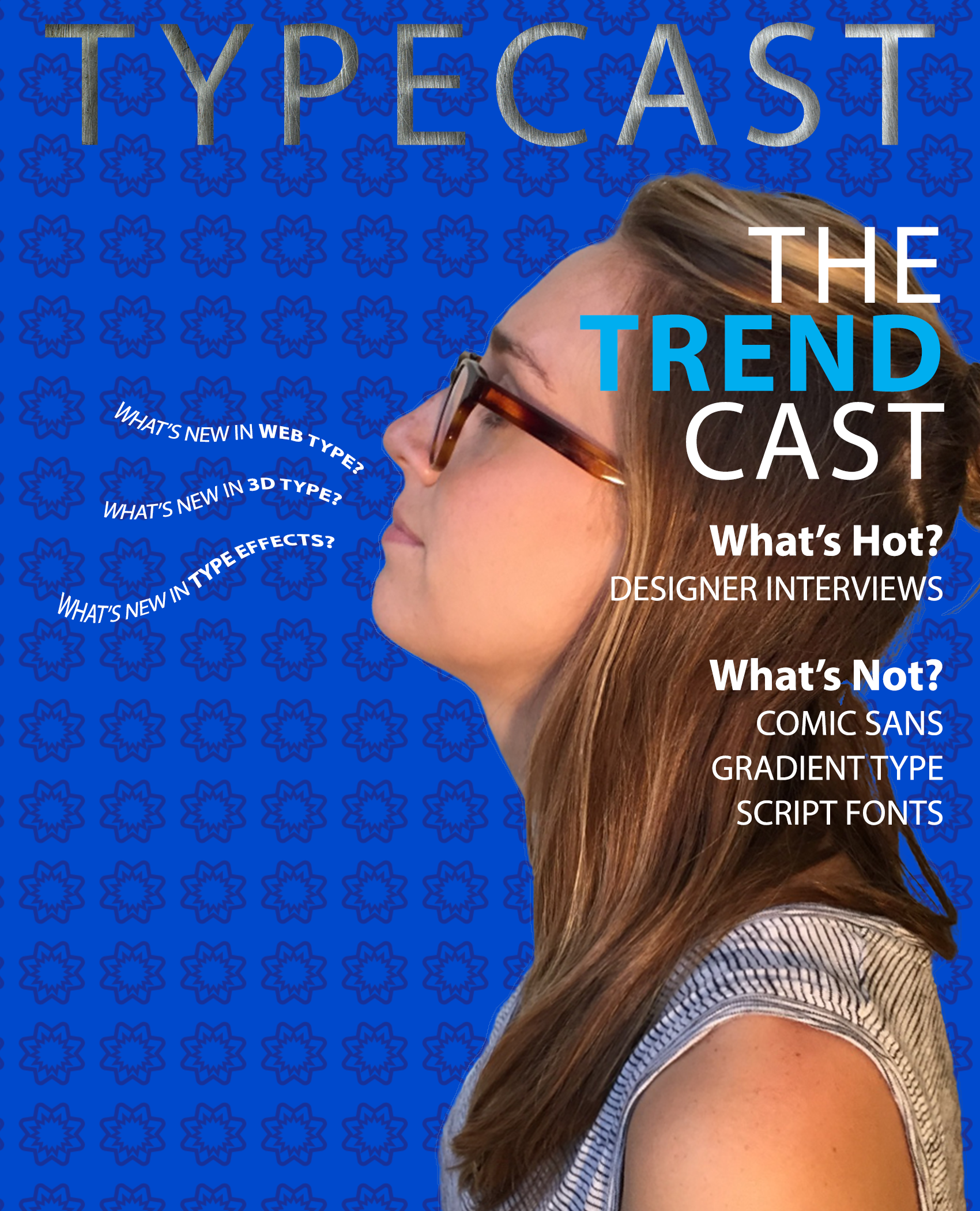
I have several years of photo editing and designing experience with Adobe
Photoshop. I've also worked with Adobe Camera Raw on numerous occasions, and an example can be found
under
the Photography header below. Included below are some images that I created and/or edited in college:
Magazine cover created using type elements and textbook photo images.
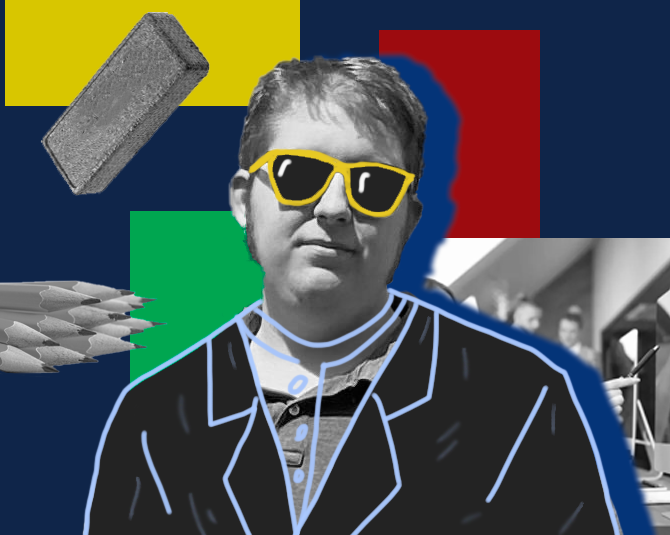
Groovy style portrait with drawn-on clothing.
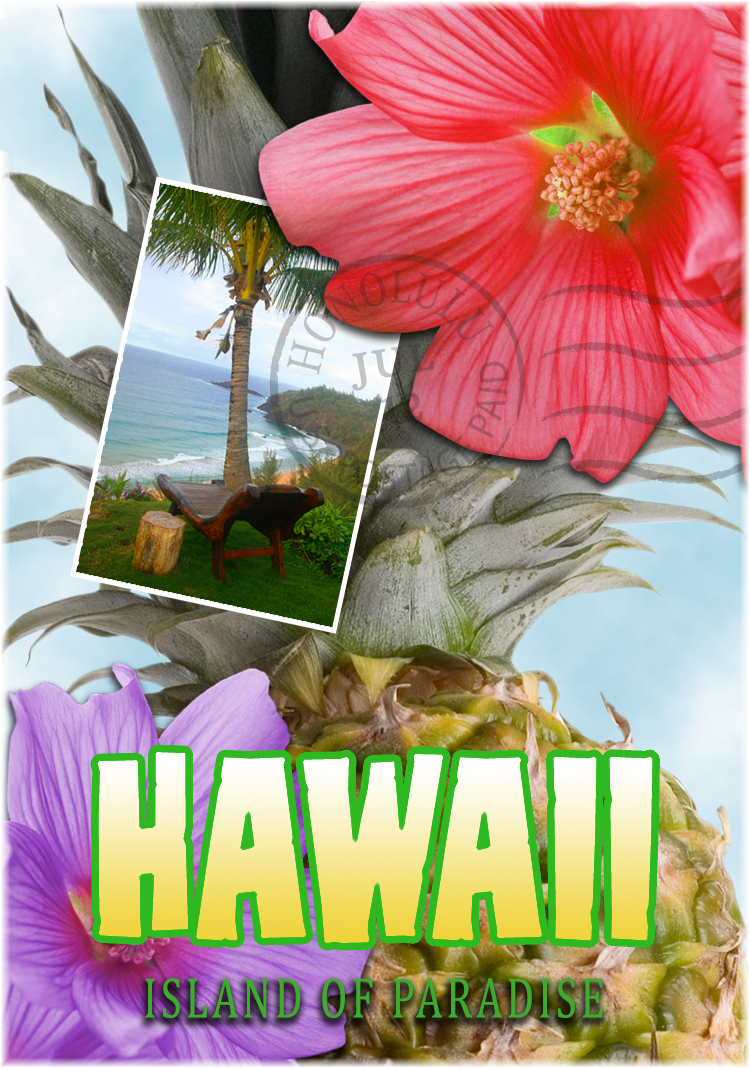
A postcard created by combining images from the textbook.
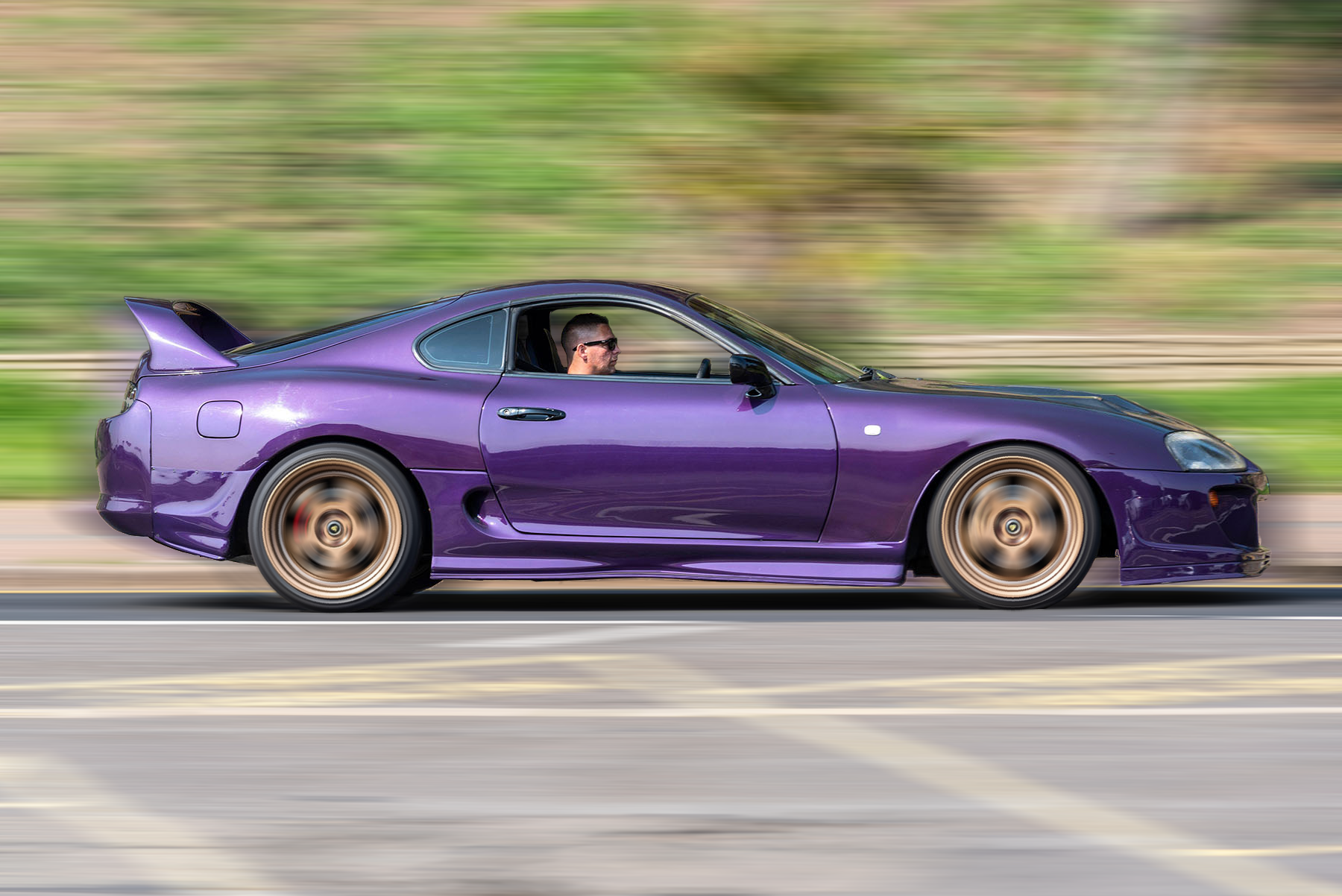
A motion blur effect that simulates low shutter speed on a camera.
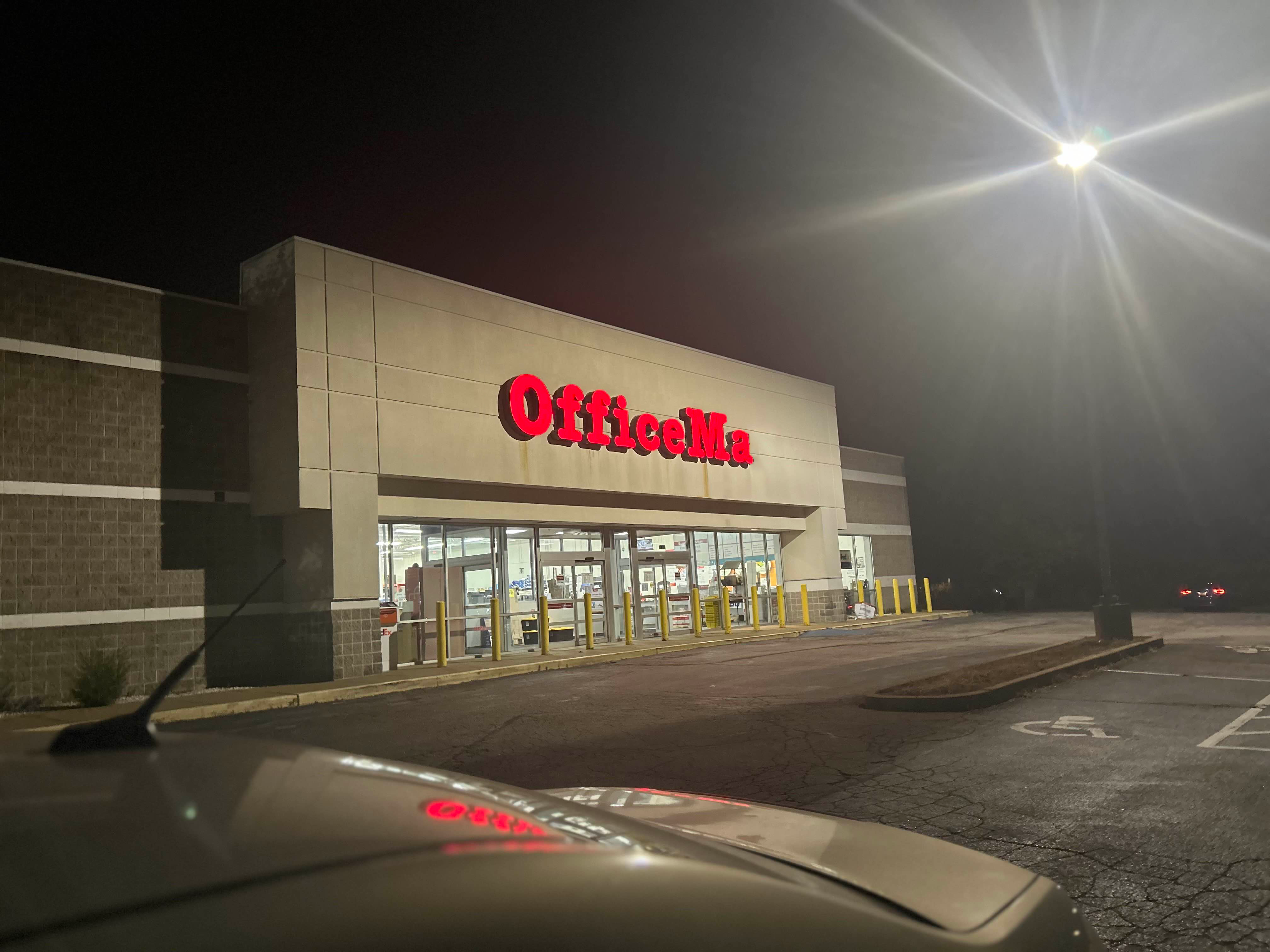
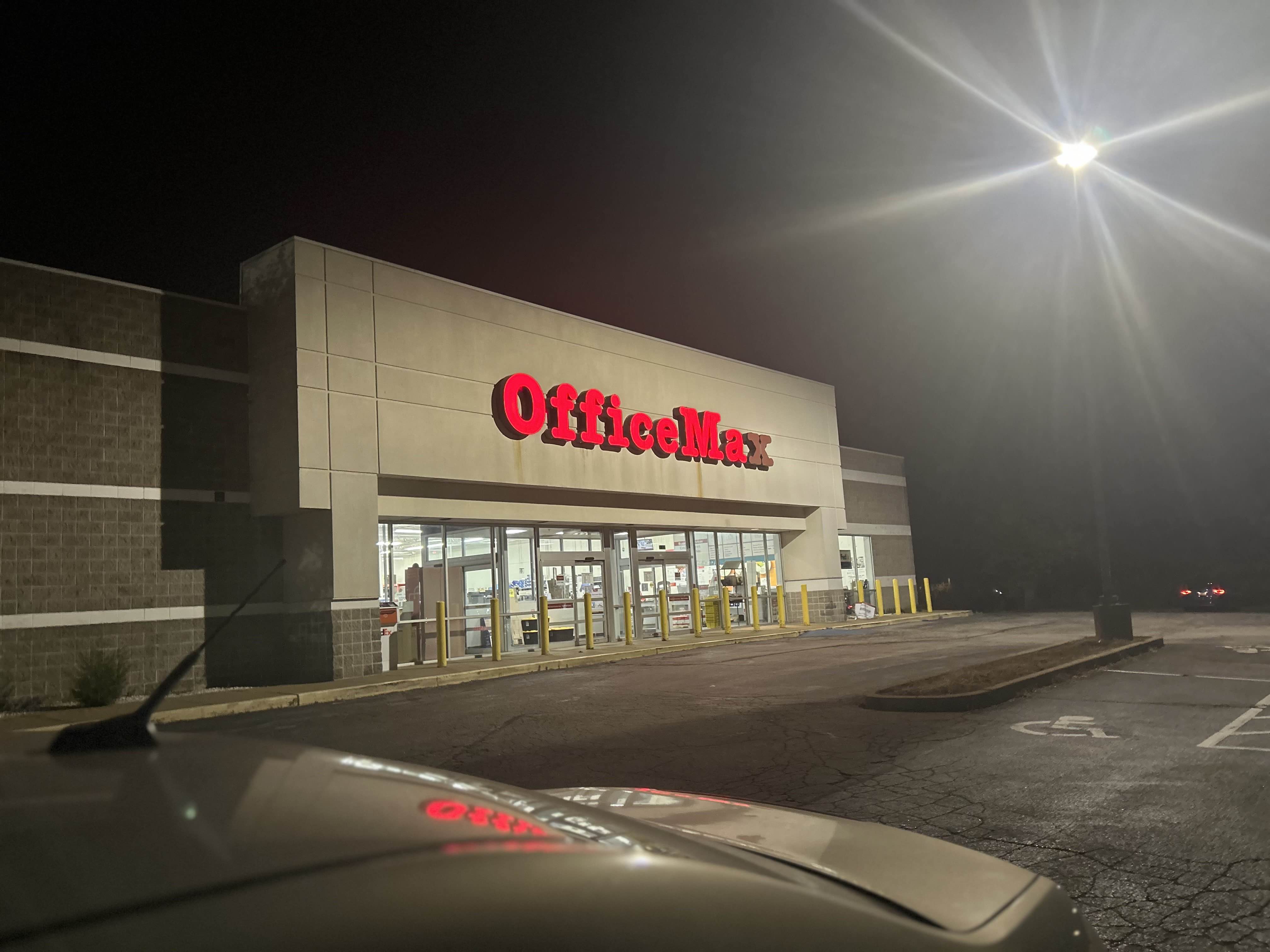
Humorous edit of an OfficeMax sign with it's X burnt out.
Drag the slider to compare the original and edited versions.
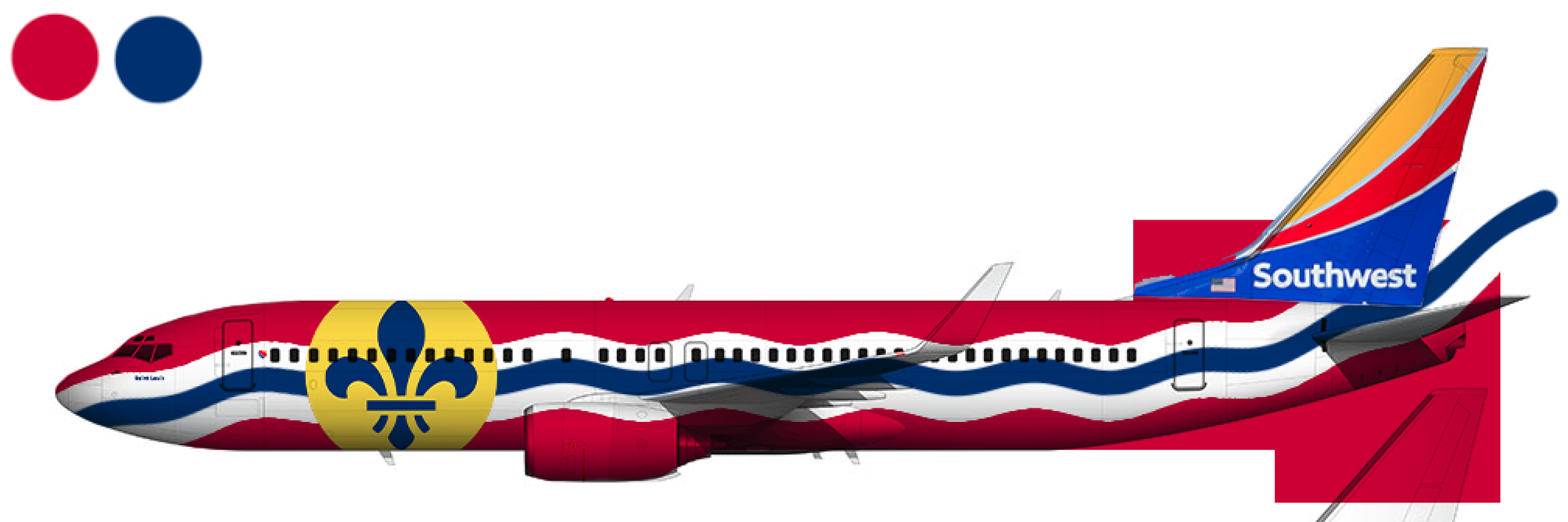
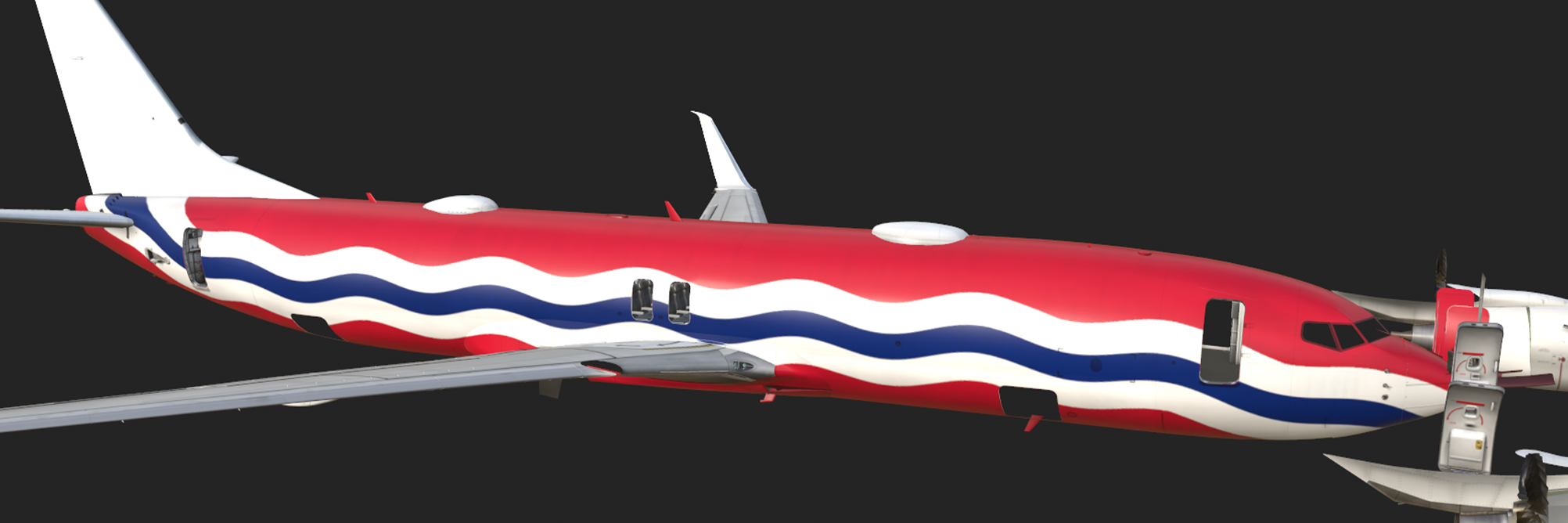
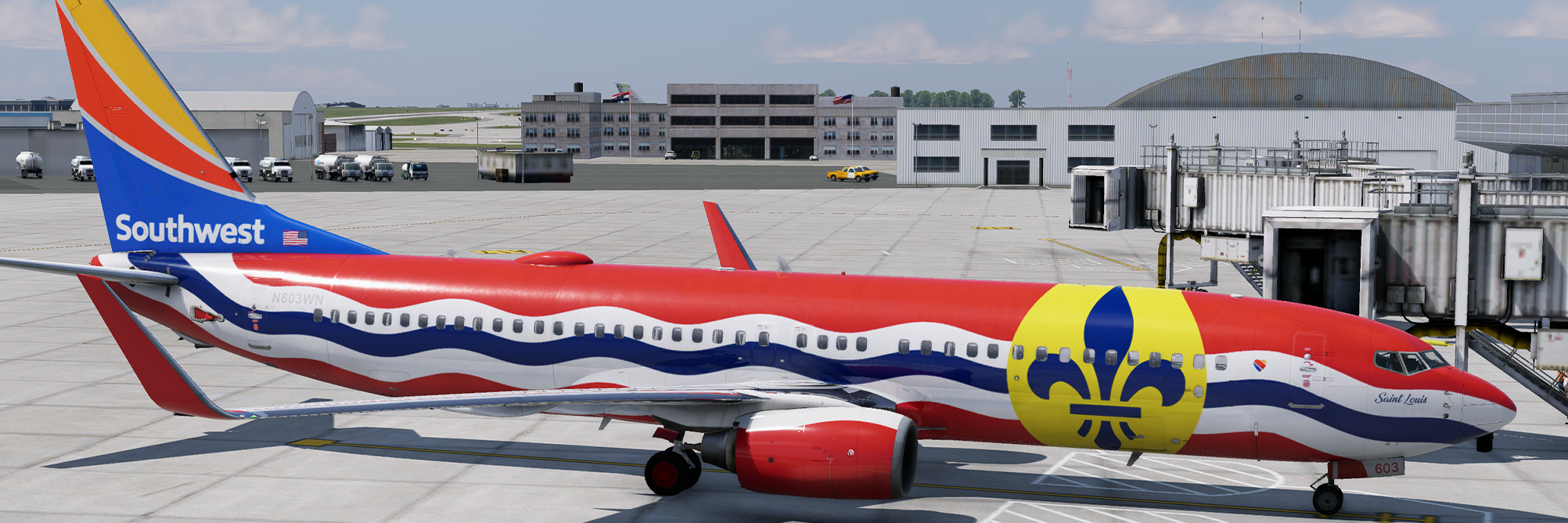
One of the latest graphic design projects I did was for a personal hobby I have -
I
love
designing
and creating liveries for aircraft! Below is a gallery showing my step-by-step process for designing and
applying a livery for the Boeing 737-800.
This is a relatively new skill that I've self-taught over the past few months. My
equipment isn't professional grade, but I can still take amazing photographs of objects and have a lot of
experience capturing action/moving subjects (I can shoot a crystal clear F-22 Raptor flying at 300 mph with
a
camera not at all made for it!) My photos can be found in the Gallery » page, and
my
equipment details can be found in the About » page.
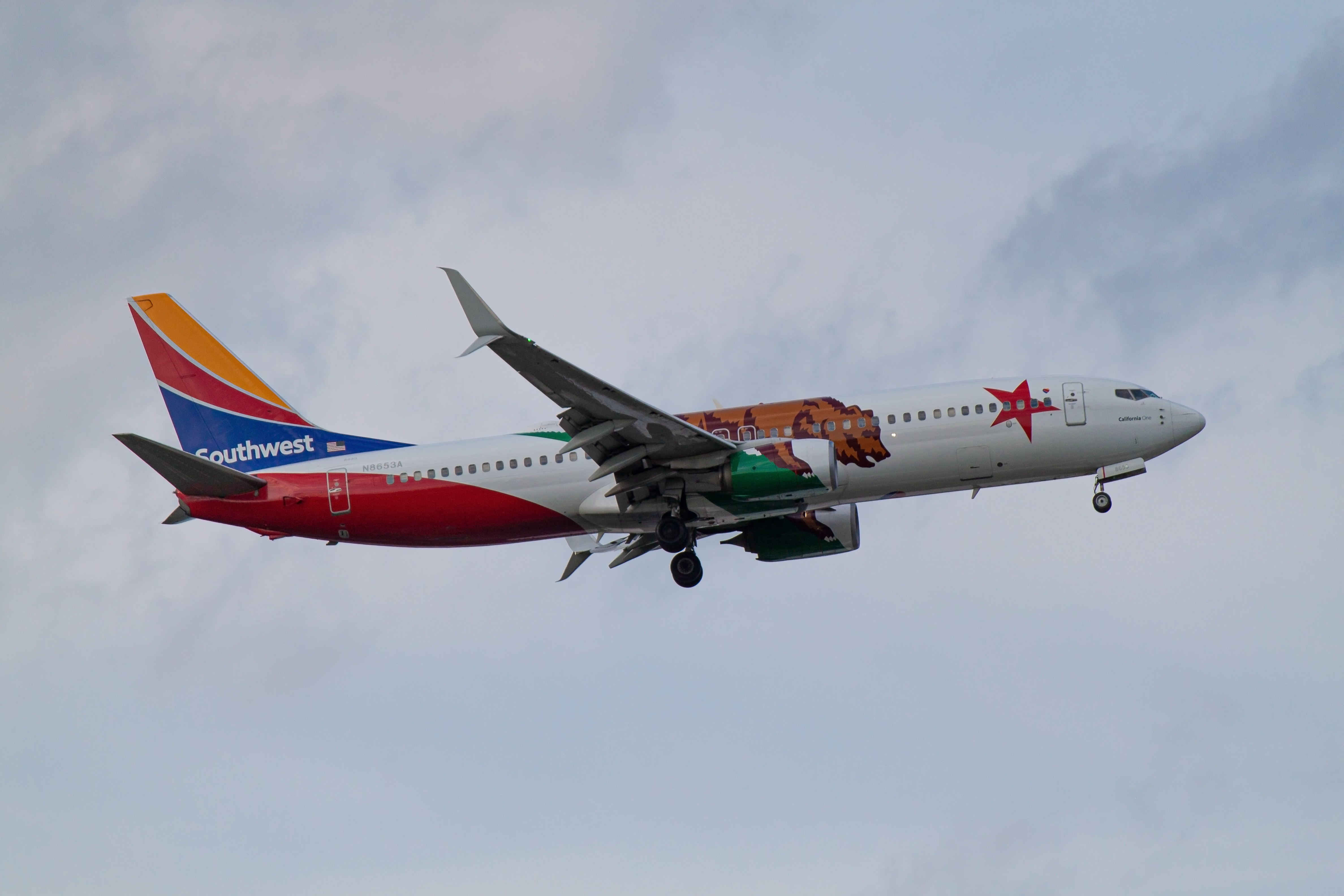
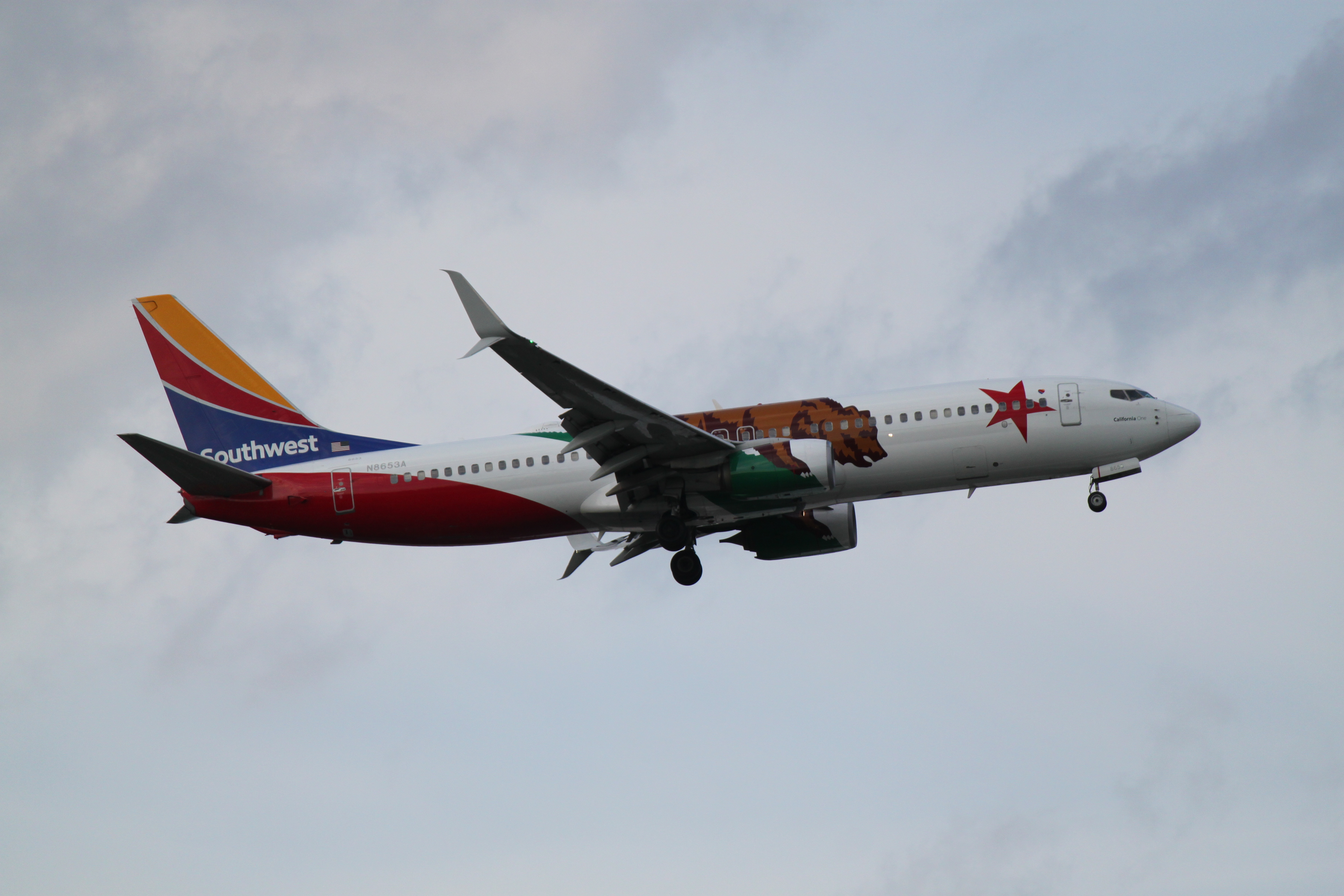
Below is an example of a photo I edited with Adobe Camera Raw. I made the colors
and
reflections pop while also fixing most of the photo grain!
Photo of Southwest's California One livery. This was only edited with Adobe Camera
Raw.
Drag the slider to compare the original and edited versions.